


 Connexion
The 8 Best Floor Plan Software Available in 2026
The market for floor plan software has exploded. A quick search turns up dozens of options—browser-based editors, professional CAD suites, mobile apps, and everything in between. Choosing the right tool isn't straightforward.
That's because "best" depends entirely on who's asking. A real estate agent prepping a listing has different priorities than an architect drafting construction documents, or an interior designer pitching concepts to clients.
There's rarely a single "best" floor plan tool; only the best tool for a specific job. This guide examines eight options across a range of use cases: from enterprise tooling for AEC and facility management teams, to boutique solutions for realtors and designers, and user-friendly options for homeowners. Whether you're looking for listing-ready layouts, design-focused 3D visuals, or quick documentation, you'll find an option here that fits.
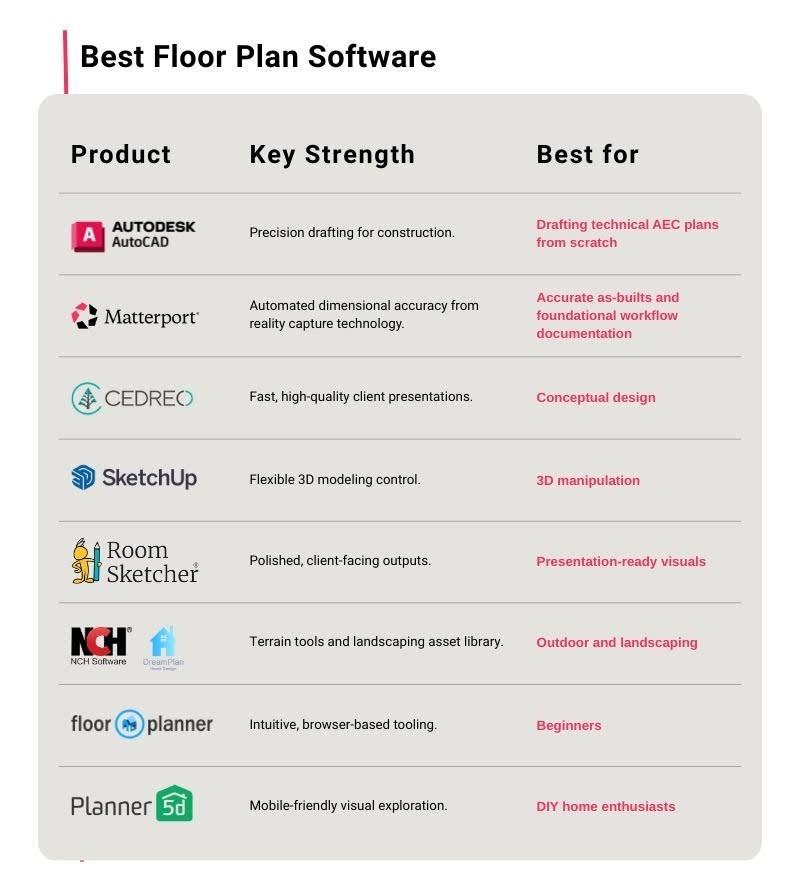
AutoCAD: Best for drafting technical AEC documentation from scratch
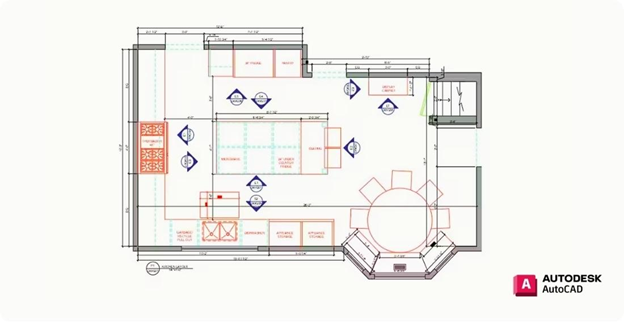
AutoCAD by Autodesk has long been the industry standard for precision technical drafting. When you need to create floor plans entirely from user-defined inputs, this is the tool to reach for.
Standout features
AutoCAD provides unmatched precision for technical documentation:
Precision 2D drafting tools: Guide every line, arc, and dimension for exact drawings.
Layer-based workflows: Organize architectural, structural, and MEP elements on separate layers for complex coordination.
Advanced dimensioning: Constraints, annotation controls, and automated dimension chains.
Reusable blocks and symbol libraries: Standard components speed up repetitive drafting tasks.
Native DWG/DXF formats: Industry-standard files for downstream construction and permitting workflows.
Fine-grained control: Nothing happens without explicit user input—ideal when precision matters most.
Pros & cons
AutoCAD prioritizes dimensional control and technical accuracy for AEC professionals. It’s an ideal choice when floor plans must be engineered line-by-line, for new constructions, major remodels, or schematic layouts that don't yet exist in the physical world.
While AutoCAD’s depth of control is unmatched, dimensions and conditions must be manually defined. When it comes to existing spaces, this increases time investment and introduces measurement error risks. When working with existing buildings, teams should import accurately captured as-built drawings as a starting foundation.
Pricing
AutoCAD uses subscription-based licensing with pricing plans starting at $175 per month, typically billed annually. Pricing varies by region and volume.
Matterport: Best foundation for accurate as-builts and workflows
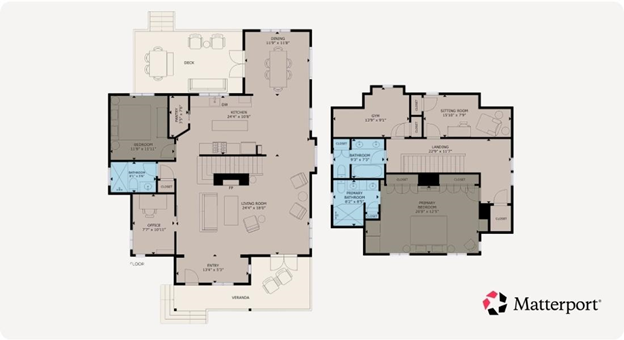
Matterport takes a fundamentally different approach than traditional floor plan software. Instead of drawing layouts from scratch, reality capture technology is used to generate dimensionally accurate floor plans and 3D models.
For professionals working with existing buildings, this distinction matters. The hardest part of floor planning is getting trustworthy as-built dimensions. Manual measurements introduce errors and old blueprints rarely match reality. Matterport eliminates this problem by scanning the actual space and extracting precise geometry automatically.
Standout features
Beyond generating 2D and 3D floor plans, Matterport includes a full ecosystem of features designed for downstream workflows:
Digital twins: Exact 3D replicas of spaces that stakeholders can explore remotely from any device.
Automated Measuring: Pull accurate dimensions directly from the digital twin—no return site visits needed.
Auto-generated layouts: Get 2D and 3D floor plans, and Dollhouse views automatically from a single capture session. Schematic floor plans are delivered within two business days.
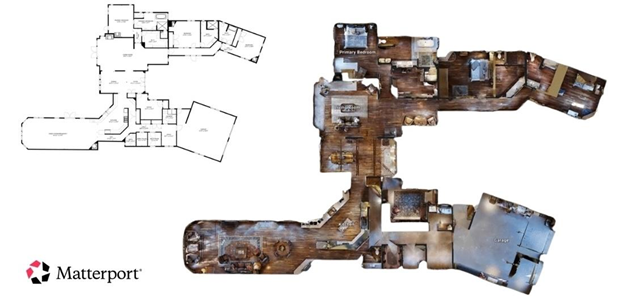
Exportable assets: Integrate with countless property workflows in AutoCAD, Revit, SketchUp, Procore, MLS, and more using a full suite of automatically generated assets. Includes:
CAD files (DWG/DXF)
Point clouds (E57)
3D mesh data (OBJ)
2D photos, photospheres, and teaser videos for marketing
Virtual tours: Navigable 3D walkthroughs that provide spatial context and can be used as immersive marketing assets for property listings.
Tags, Notes & Annotations: Collaborate directly within the model—flag issues, assign tasks, and keep conversations anchored to exact locations.
Defurnish tool: Remove furniture and clutter with AI to provide a blank canvas for virtual staging, and help visualize interior design or renovation potential without manual prep.
Property Intelligence: Access AI-powered automations that analyze properties to simplify the process of marketing, managing, and reimagining any space.
Pros & cons
Matterport shines when accuracy and reuse matter. A single scan session produces detailed assets that serve multiple purposes, from property marketing to renovation planning, construction tracking, and ongoing facility management.
Where Matterport floor plans and value:
Real estate marketing: Immersive 3D tours paired with listing-ready floor plans.
Design & construction: Dimensionally accurate as-builts for design, progress tracking, QA/QC, and RFI coordination.
Facility management: Space planning, maintenance documentation, and onboarding.
“Seeing the potential of a space through Matterport is incredibly valuable for our clients and enables them to easily visualize major changes such as adding new ceilings, floors, or even entire layouts.” - Mike Merron, Founding Director of VRPM.
The cost of getting started with professional Matterport hardware can be higher than some other platforms. The Pro3 camera itself is priced at $3,995 so may be out of budget for smaller teams. It’s the best choice if you need precise measurements for downstream construction workflows. But if your use case is less dependent on measurement accuracy, you can use different hardware with the Matterport digital twin platform.
Pricing
Matterport offers a flexible, subscription-based pricing that varies by space size. Plans scale from $90 per month, billed annually, for individuals and teams to custom contracts for enterprise teams documenting large portfolios. Professional Capture Services are also available in 700+ cities. BIM and CAD plans are offered as add-ons for Professional plan and higher customers. See the pricing page for more information.
Cedreo: Best for conceptual design
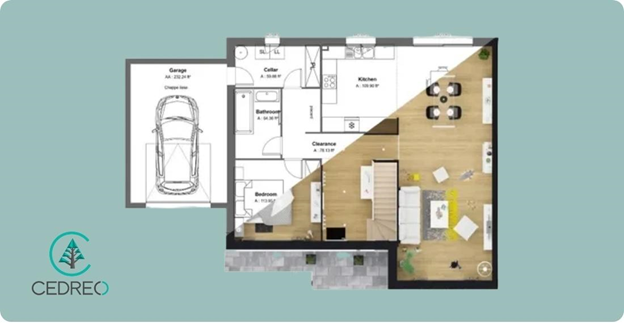
Cedreo is a cloud-based 3D floor plan software designed specifically for building and remodeling professionals. It aims to bridge the gap between rough sketches and client-ready presentations.
Standout features
Cedreo prioritizes speed-to-presentation for building professionals:
2D drafting: Draft from scratch using the intuitive drag-and-drop interface or import existing plans and enlarge or reduce dimensions with 1-click.
3D furnished plans: Design an entire home in 3D and furnish it without any additional software.
Renderings: Create stunning photorealistic 3D renderings at speed.
Pros & cons
Cedreo allows you to create a complete conceptual design presentation in a very short amount of time, including 2D and 3D floor plans plus photorealistic renderings. The speed and clarity make it easy for interior designers to deliver projects faster without CAD expertise.
If you’re working on a smaller or DIY project, the pricing is likely to be well out of budget, and some users report limitations in customizing furniture sizes and materials. For existing-condition documentation, you'll still need captured as-builts to work from.
Pricing
Cedreo is designed for professionals and this is reflected in its pricing. Subscriptions start at $129.00 per month, with additional features like watermark removal for higher-tier users. Multi-user workspaces can become pricey, with permission management and project sharing on the $159 per month, per user plan.
SketchUp: Best floor plan software for 3D manipulation
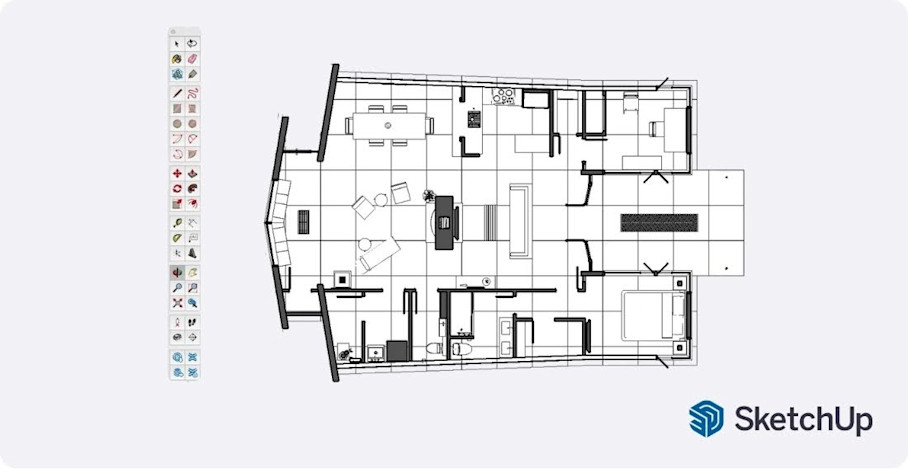
SketchUp is a flexible, powerful modeling tool that gives experienced users granular control over 3D geometry. It provides a full 3D modeling environment that’s popular with architects, interior designers, and construction professionals.
Standout features
SketchUp offers deep modeling control along with a vast ecosystem of extensions and resources:
3D modeling tools: Draw plans, elevations, sections, build details—anything you need to start the build.
Extension ecosystem: Plugins add rendering, BIM connectivity, and specialized tools to increase efficiency.
Model library: Access a vast, community-driven 3D Warehouse to quickly find, import, and customize reusable components.
Pros & cons
SketchUp delivers the control and interoperability professionals need for commercial floor plans, especially construction workflows and space planning.
Because it is a full modeling environment, the learning curve is admittedly quite steep. Expect to invest time learning the interface before becoming productive. Manual setup also means all geometry must be drawn or imported—there's no automatic capture for existing spaces.
Pricing
According to their pricing page, SketchUp Go provides essential 3D design on iPad & web for $129 per year for each user. Other plans range up to $819 per user/per year for professional features like point cloud modeling and rendered animations. Custom plans are available for enterprise teams.
RoomSketcher: Best for presentation-ready visuals
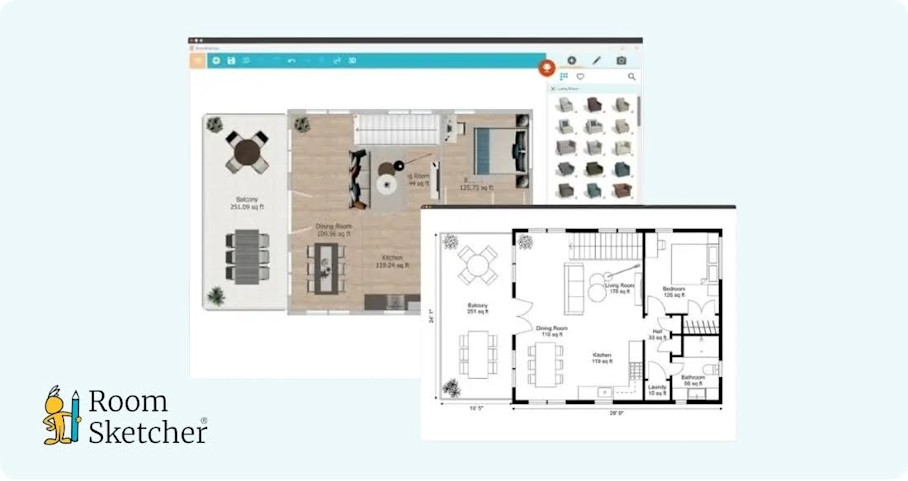
RoomSketcher is intuitive, fast, and visually accurate. It helps create realistic floor plans and 3D designs without complex CAD tools. This is the best floor plan tool for real estate professionals and interior designers who need polished client-facing presentations.
Standout features
RoomSketcher focuses on delivering professional-quality design visuals that impress clients:
2D/3D floor plans: Render detailed, easy-to-read 2D floor plan diagrams and visualize layouts with high-quality 3D design models.
Walkthroughs: See every detail of a floor plan in an interactive 3D tour.
Furniture library: Drag and drop a wide selection of furniture and fixtures into the floor plan.
Pros & cons
RoomSketcher’s branding, logos, and consistent styling provide polished, marketing-ready visuals. This is ideal for interior design and property leasing.
However, accuracy depends entirely on user input. If you draw the walls wrong, the measurements will be wrong. For renovation work where precision matters, you’ll need a more reliable foundation.
Pricing
RoomSketcher’s pricing plans include a free tier, which offers the basics. If you want to take advantage of more features like the full furniture library and measurements, paid plans range from $24-$70 per month. Ordering floor plans from their illustration team will cost you extra, and start at $18 per floor.
NCH Software DreamPlan: Best for outdoor
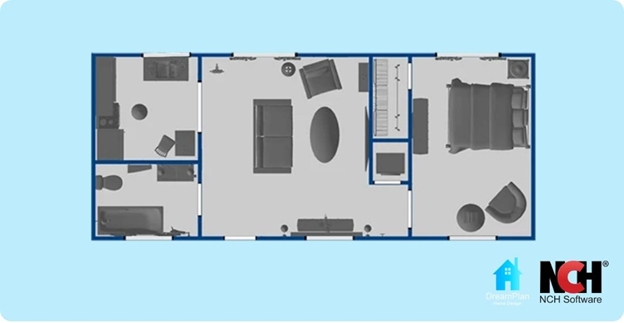
NCH Software’s DreamPlan is an intuitive, user-friendly 3D floor plan and landscape design application. It’s the go-to choice for combined indoor and outdoor design work, particularly landscaping and exterior planning.
Standout features
DreamPlan offers a balanced toolkit for projects that span interior and exterior spaces:
Landscaping tools: Reshape the terrain of outdoor areas.
2D & 3D views: Switch between floor plans to see a blueprint-like display, rendered decorations, or an isometric view.
Rich inventory: Fully customizable objects for both interior and exterior use including landscape elements like trees, shrubs, patios, and flower gardens.
Pros & cons
DreamPlan occupies a useful niche for exterior site context and full site renovations. For site planning and landscaping tied to real estate or construction projects, it provides capabilities that more interior-focused tools lack.
However, the interface is pretty dated and users report difficulty navigating the 3D model. This makes it harder to define or edit exact wall lengths or set precise zero points for accurate, scaled plans. If you’re aiming to create polished and precise interior visuals for clients, you’ll probably need to look at alternative solutions.
Pricing
On their pricing page, you can find licenses that start at $34.99 for personal use only, and an unlimited commercial license can be purchased for just $5 more. A quarterly license is also available if you’re looking at a short-term professional project.
Floorplanner: Best floor plan software for beginners
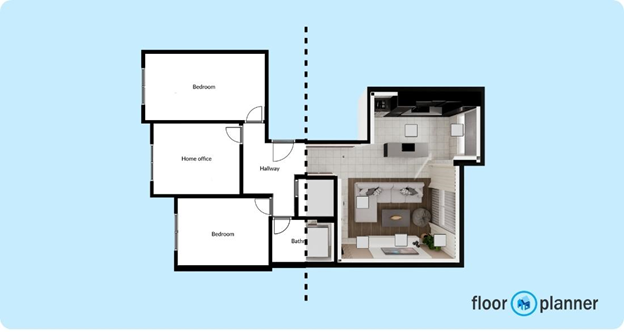
Floorplanner is an online floor planning and 3D room design tool that enables the creation of spatial layouts with ease. If you've never touched floor plan software before, this is a forgiving place to start. Everything is done through your web browser, so there’s no software to install, and no steep learning curve to climb.
Standout features
Floorplanner keeps things simple with browser-based tools and a large content library:
Browser-based editor: As a web-based tool, Floorplanner doesn't require installation and can be accessed from different devices with an internet connection.
2D & 3D views: The ability to seamlessly switch between 2D and 3D views helps users understand space dynamics without additional tools.
Drag-and-drop furniture builder: The platform includes access to a library containing over 260,000 3D models of furniture and decorative items at no additional cost.
Pros & cons
Floorplanner excels at speed for conceptual layouts. It's suitable for marketing mockups, early project planning, or visualizing how furniture might fit into a room. You can play with design, choose shapes and structure, try materials, and plan layouts.
For small commercial or residential space planning, it gets the job done fast, but it is less suitable for renovation-grade documentation where exact dimensions matter.
Pricing
The Basic plan is actually free, though exports are limited to 960x540 pixels with watermarks. Paid plans will cost you from $5-$599 per month, depending on the scale of your business, as outlined on their pricing page.
Planner 5D: Best home floor plan software for DIY enthusiasts
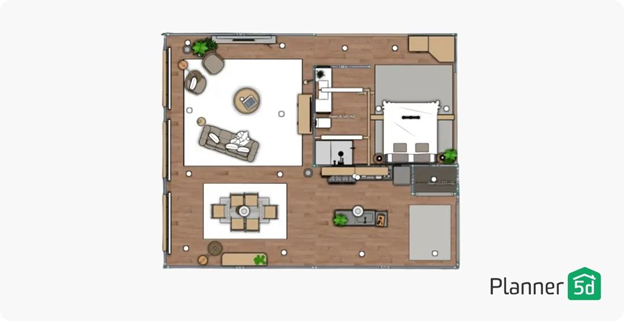
Planner 5D makes home design accessible to anyone with a creative itch. It's the best home floor plan software for homeowners who want to experiment with layouts and visualize renovations before committing. It also has a more advanced option available for professional users: Planner 5D Pro.
Standout features
Planner 5D emphasizes accessibility and cross-platform flexibility:
Drag-and-drop editor: Access a library of more than 8,000 furniture items.
2D/3D views: Use the 2D model to design layouts and create floor plans with furniture and other home decor items or switch to 3D to explore and edit their design from any angle.
Cross-platform support: Use home design tools on Windows, MacOS, Apple Vision Pro, Android, and iOS.
Pros & cons
Planner 5D is designed to be intuitive and easy to use, even for those who have zero experience in home design. It’s a tool best-suited to homeowners and hobbyists who want quick mockups.
The Pro option means that the tool does level-up for professional use cases, however it still lacks advanced tools for complex, custom architecture, such as detailed roof planning or precise elevation drawings. If you’re a professional, you might outgrow it quickly.
Pricing
Planner 5D provides free unlimited projects for any user. Paid plans starting at $4.99 per month provide upgrades to unlock additional furniture, finishes, and export options, as outlined on their pricing page. For import of 3D models you will need their professional license, starting at $33.33 per month.
Capture first, design smarter
We’re obviously biased, but the best floor plan outcomes always start with accurate data. When you're working with existing spaces—whether renovating, documenting, or managing facilities—the quality of your floor plans depends on the quality of your spatial information.
Matterport provides that foundation:
Capture a space once, and you've created a dimensional source of truth that can feed into the best tools.
Export to CAD for technical drafting in AutoCAD or BIM for more complex designs in Autodesk Revit.
Import into SketchUp for 3D modeling.
Pull measurements for renovation estimates.
Generate listing-ready floor plans for marketing platforms.
The capture-first approach eliminates the accuracy gap that plagues drawn-from-scratch workflows. When your digital model matches reality, every downstream decision gets easier.
Optimisez vos flux de travail AEC/DCM avec Matterport

