


 Sign In
8 Best Tools for Warehouse Fit Planning & Layout Optimization
Warehouse layout optimization is a multi-stage process that runs from spatial capture through slotting, design, simulation, and change coordination. Each stage requires a different kind of intelligence, and the tools involved need to hand data off to each other cleanly. A slotting engine cannot do its job with bad dimensions and a simulation model built on guesswork produces guesswork outputs.
Many teams start with Excel-based slotting or AutoCAD floor plans, and both work well enough in simple environments. But these tools start to break down once facility complexity grows, from multi-level mezzanines to vertical storage systems to cross-dock operations. Static files create collaboration bottlenecks and disconnected data makes it harder to keep layouts aligned with live inventory profiles.
This guide covers eight of the best software for optimizing warehouse layout, from spatial capture platforms to operational simulators.
The 8 tools below are organized by where they enter the warehouse layout optimization workflow, so readers can build the optimization stack that fits their operation.
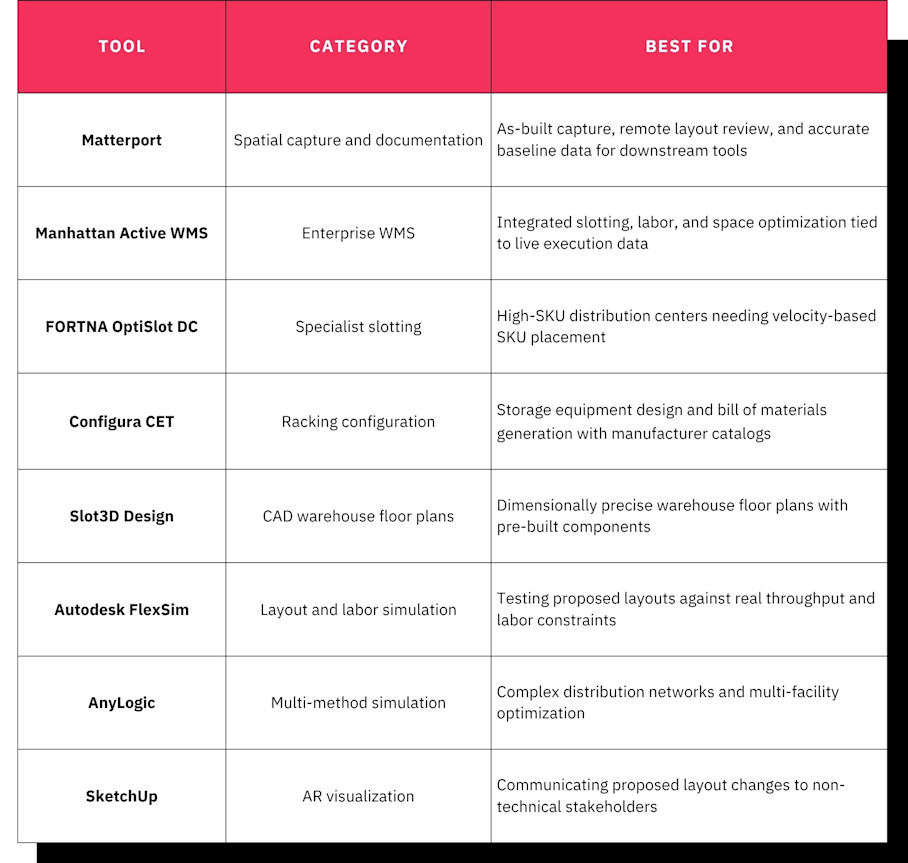
Let’s take a deeper dive into each software solution and the workflows it serves.
1. Matterport: Best as-built capture and remote layout review
Matterport captures an entire warehouse floor in a single scan workflow, producing a navigable, photorealistic, and dimensionally accurate 3D model of the live facility.
This automates as-built documentation, giving warehouse layout planning teams a verified baseline of existing conditions covering actual column positions, aisle widths, clearance heights, and dock configurations before layout work begins. Potential gaps from outdated floor plans or manual measurements are eliminated.
Key capabilities
Matterport covers the full documentation workflow, so there are fewer handoff points where data degrades or versions diverge.
Digital twins: A complete, navigable 3D replica of the facility that serves as the single source of truth for all layout decisions. Teams can walk the space virtually, inspect any area, and share access with stakeholders who cannot visit the site.
2D schematic floor plans: Delivered in PNG, PDF, and SVG formats within two business days, with six-hour and 24-hour rush options available. These provide the clean base drawings that layout design tools require.
Automated Measurements: Distances, wall lengths, and object dimensions can be measured directly in the 3D model without returning to the facility.
CAD and BIM exports: DWG and DXF files feed directly into AutoCAD and warehouse-specific tools like Slot3D Design and Configura CET. BIM exports at LOD 200 (RVT, IFC, DWG) support engineering workflows, with a Tier 5 option specialized for fulfillment centers and manufacturing facilities.
Point clouds: Raw spatial data representing dimensions and surfaces of the physical space, directly compatible with Autodesk ReCap Pro, AutoCAD, Revit, Civil 3D, and Trimble.
Tags, Notes & Attachments: In-context documentation pinned to specific locations in the model so teams can annotate equipment details, flag conditions, and attach reference documents directly to the relevant spot in the scan.
Remote walkthroughs: Stakeholders navigate the facility from anywhere, reducing the site visits that slow approval cycles.
Integrations: Autodesk Construction Cloud connects Matterport data to Revit, AutoCAD, and BIM 360 workflows. The Procore integration links scan data to RFIs and project management.
Side-by-Side space comparison: Create a before-and-after record of what was planned versus what was built to provide an as-built baseline for the next optimization cycle and support compliance documentation where required.
Matterport digital twins have a unique role in warehouse optimization software stacks. They do not replace slotting engines or simulation tools, but they provide the accurate spatial data that makes those tools reliable.
Limitations
Matterport captures and documents existing conditions. It does not simulate workflows, model throughput, or optimize slotting. Its role is to give the downstream tools accurate spatial inputs so they can do their jobs without inheriting bad data.
After implementation, new scans create a before-and-after record of what was planned versus what was built. That record becomes the verified as-built baseline for the next optimization cycle and supports compliance documentation where required. Every rework hour saved downstream traces back to the accuracy of what went in at this stage.
Best for
Matterport is a useful tool for warehouse operations teams that need a verified spatial baseline before starting their layout project. It fits operations of any size where outdated spatial data or manual measurements may create rework and delays across layout, racking, and simulation workflows.
2. Manhattan ActiveWarehouse: Best enterprise WMS for integrated layout optimization
Manhattan Active is an AI-native Warehouse Management System (WMS) that connects slotting decisions directly to live inventory data, labor planning, and warehouse execution in a single cloud-native platform.

Slotting and storage assignment interact with order profiles, seasonal demand shifts, and real-time inventory velocity. A slotting recommendation that ignores next week's promotional spike will create congestion that no floor plan can fix. Manhattan Active treats storage assignment, pick path optimization, and labor allocation as interconnected variables rather than separate problems.
Key capabilities
Manhattan Active WMS connects layout decisions to live warehouse operations.
Integrated slotting engine: Analyzes order history, velocity data, and storage constraints to recommend optimal SKU placement informed by the same data that drives pick assignments.
Labor management: Models labor paths and task interleaving alongside layout decisions to show how zone changes affect staffing.
Space optimization: Evaluates storage capacity across zones and suggests reconfigurations based on current inventory profiles.
Simulation mode: Tests proposed layout and slotting changes against historical order data before they go live.
These capabilities let operations teams model how a layout change ripples through the entire operation.
Integrating with Matterport
Matterport does not natively integrate with Manhattan Active WMS, but it can floor plans, CAD exports, and as-built measurements from a digital twin can be used during warehouse design and reconfiguration projects to ensure slotting strategies, storage assignments, and labor paths are based on the actual facility rather than outdated drawings.
Limitations
Manhattan Active is an enterprise-grade WMS with a corresponding implementation timeline and cost. Teams looking for a standalone layout design tool may find it more than they need, especially if they already run a separate WMS.
Best for
Manhattan Active WMS is best suited for large distribution operations where slotting, labor, and layout decisions need to be evaluated as an interconnected system tied directly to warehouse execution data.
3. FORTNA OptiSlot DC: Best specialist slotting software for high-SKU distribution
FORTNA OptiSlot DC is a purpose-built slotting optimization engine designed for distribution centers with thousands of SKUs and complex pick strategies.

SKU placement directly determines pick path length, congestion patterns, and replenishment frequency. All of those factors shape the effective layout of the warehouse floor, regardless of what the floor plan says. OptiSlot DC treats SKU placement as the lever that determines pick path efficiency.
Key capabilities
OptiSlot DC provides slotting-specific tools that extend inventory reorganization.
Velocity-based slotting: Assigns storage locations based on demand velocity and pick frequency to minimize travel time.
Multi-zone optimization: Balances SKU placement across forward pick, reserve, and special handling zones to reduce replenishment trips.
What-if analysis: Models how slotting changes affect pick times and congestion before committing to the change.
Re-slotting scheduling: Automates SKU repositioning based on demand shifts, preventing gradual degradation when slotting is treated as a one-time event.
Digital twin replica: Uses a virtual model of the facility to test placement scenarios against the physical layout.
Together, these capabilities turn slotting from a periodic cleanup exercise into a continuous optimization discipline.
Integrating with Matterport
Accurate spatial documentation from Matterport strengthens the slotting process. Digital twins, floor plans, and CAD exports provide a verified representation of aisle geometry, storage locations, and physical constraints that can inform slotting models and reduce the risk of inaccurate plans.
Limitations
OptiSlot DC is primarily a consulting-led solution. Implementation and scenario modeling are generally guided by FORTNA specialists, so teams should account for ongoing consulting fees and potential contract lock-in.
Best for
OptiSlot is best for high-volume distribution operations where slotting is a continuous discipline rather than a one-time setup, and where placing the right product in the right location drives measurable throughput gains.
4. Configura CET: Best racking configuration and storage planning
Configura CET allows warehouse engineers to design and configure racking systems, shelving layouts, and material handling equipment in a visual 3D environment with manufacturer-specific product catalogs.
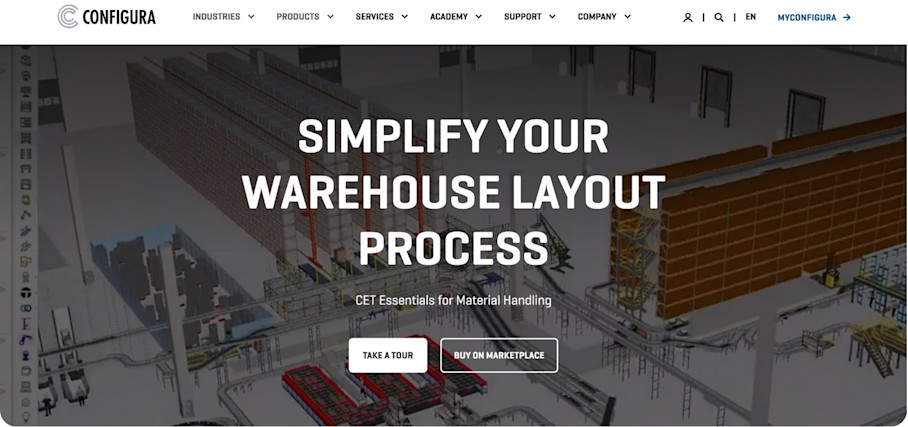
Getting racking wrong means equipment that does not fit the space, wasted purchase orders, and installation delays. CET bridges the gap between layout design and storage equipment procurement, so teams can validate configurations before orders are placed.
Key capabilities
CET connects design decisions directly to procurement.
Manufacturer catalogs: Product data from major racking manufacturers so configurations use real components with accurate dimensions.
Rule-based configuration: Enforces structural and safety constraints automatically, reducing the risk of specifying systems that fail code review.
3D visualization: Renders the configured layout in 3D so teams can verify fit before issuing purchase orders.
Bill of materials generation: Produces component-level BOMs directly from the configuration.
These tools give warehouse teams confidence that the racking system on screen will work in the actual facility.
Integrating with Matterport
Importing CAD or BIM files from a Matterport digital twin gives CET precise column locations, ceiling heights, and floor dimensions. This reduces the risk of designing a racking system that does not fit the actual space, a problem that typically surfaces during installation, when it is most expensive to fix.
Limitations
CET focuses on racking and storage equipment configuration specifically. Teams will still need a separate tool for aisle routing, dock assignments, and zone definitions.
Best for
CET is best for storage equipment suppliers and warehouse engineers who need to design, quote, and visualize racking systems with manufacturer-specific components before placing the order.
5. Slot3D Design: Best CAD-precise warehouse floor plans
Slot3D Design is a CAD-based warehouse layout planning tool built for designing full warehouse floor plans, including racking placement, aisle routing, dock assignments, and zone definitions. It includes pre-built warehouse components and layout logic that general-purpose CAD platforms lack.
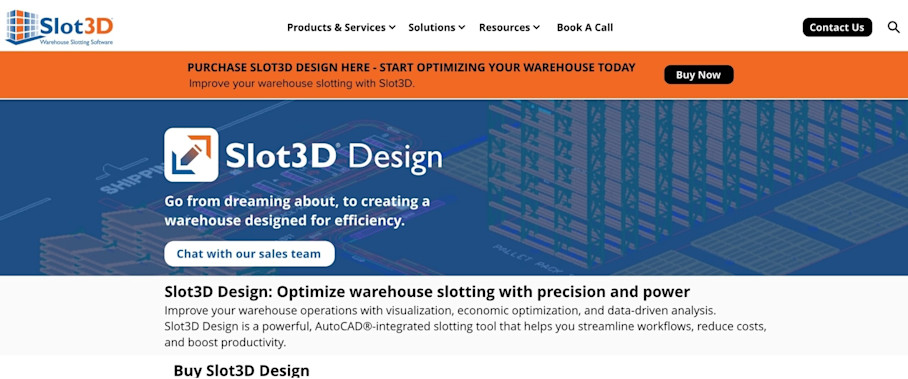
Slot3D is WMS agnostic, so you can use it across any operational environment, system stack, and warehouse model.
Key capabilities
Slot3D Design streamlines floor plan creation with purpose-built components and automated dimensioning.
Warehouse-specific component library: Pre-built elements for racking, conveyors, and dock doors eliminate the need to draw standard components from scratch.
Automatic aisle dimensioning: Calculates aisle widths based on equipment type and traffic requirements.
Slotting integration: Accepts slotting data to align floor plan design with storage assignment logic.
CAD compatibility: Exports in standard DWG and DXF formats for broader engineering workflows.
AutoCAD integrated: Runs within the AutoCAD environment, so Autodesk users can adopt it without switching platforms.
These capabilities make Slot3D Design a natural fit for warehouse engineers who need precision floor plans without building a custom CAD library.
Integrating with Matterport
Matterport’s CAD files can be imported into Slot3D, providing a reliable spatial foundation. This avoids the common problem of designing a layout on a drawing that does not match the actual facility.
Limitations
Slot3D Design is a layout drafting tool, not a simulation or slotting optimization engine. It produces the floor plan but does not model throughput or recommend SKU placement.
Best for
Slot3D Design is for warehouse engineers and layout planners who need detailed, dimensionally precise floor plans with warehouse-specific components rather than general-purpose CAD software.
6. Autodesk FlexSim: Best layout and labor modeling
Autodesk FlexSim is a discrete-event simulation platform that lets warehouse teams build a virtual model of their operation and test how proposed layout changes affect throughput, labor utilization, and material flow before making physical changes.

A floor plan may look efficient on paper, but create bottlenecks under real order volumes and equipment constraints. A layout that works at typical capacity can fail completely during peak season. FlexSim catches those problems before they reach the warehouse floor.
Key capabilities
FlexSim turns layout planning into an evidence-based engineering process.
3D simulation modeling: Builds a process-level virtual model of the warehouse, including equipment, material flow paths, and worker assignments.
Labor modeling: Tests how staffing levels interact with layout decisions, identifying where bottlenecks will form.
Bottleneck identification: Highlights locations where congestion or throughput constraints will emerge under modeled conditions.
Scenario comparison: Runs multiple layout configurations side by side against the same order profiles.
These tools give teams data to support design decisions rather than relying on assumptions.
Integrating with Matterport
FlexSim connects with Matterport via Autodesk. Teams can use point cloud and BIM exports from a Matterport scan as the spatial foundation for simulation models. Starting from accurate facility geometry reduces manual modeling time and improves simulation fidelity.
Limitations
FlexSim requires building a process model that reflects the warehouse operation accurately. This takes time and expertise. Teams without dedicated industrial engineers may need consulting support.
Best for
FlexSim is best suited for operations where the cost of a layout mistake justifies the investment in simulation, particularly when throughput losses or implementation rework are significant risks.
7. AnyLogic: Best operational simulator for complex networks
AnyLogic combines discrete-event, agent-based, and system dynamics modeling in a single platform. It handles the kind of complexity that single-site simulators are not designed for, so it’s well-suited for operations that need to simulate an entire distribution network.

In multi-site fulfillment centers, cross-docking operations, or facilities with complex material flow dependencies, a layout change at one site ripples through the network. AnyLogic’s modeling tools can capture those interactions.
Key capabilities
AnyLogic provides the sharpest simulation framework for warehouse and distribution operations with a multi-facility scope.
Multi-method simulation: Combines discrete-event, agent-based, and system dynamics approaches in a single model, allowing teams to represent different aspects of an operation at the appropriate level of abstraction.
Network-level optimization: Models interactions across multiple facilities, transportation links, and distribution channels so layout decisions account for network-wide effects.
Custom logic: Supports custom Java-based logic for modeling unique operational rules, equipment behaviors, and decision processes that do not fit standard templates.
GIS integration: Incorporates geographic data for network modeling, route optimization, and location analysis.
These capabilities make AnyLogic the most flexible simulation option for complex warehouse and distribution operations.
Integrating with Matterport
Matterport's point clouds, CAD drawings, and BIM exports can provide the spatial foundation for simulation models. Rather than recreating warehouse geometry manually, engineering teams can use verified facility dimensions to accelerate model development and improve simulation accuracy.
Limitations
AnyLogic has a steeper learning curve than single-purpose warehouse simulators. Building accurate multi-method models requires familiarity with simulation methodology and, in many cases, programming skills. It is best suited for operations with dedicated industrial engineering teams or established consulting partnerships.
Best for
AnyLogic is the right fit when warehouse layout decisions cannot be separated from broader supply chain and network design questions. It serves operations that span multiple facilities with interdependent material flows.
8. SketchUp: Best for AR warehouse layout views
SketchUp is a 3D modeling tool that allows warehouse teams to visualize proposed layout changes in 3D, then overlay those designs onto the real facility using augmented reality (AR) viewers.

Floor plans and 2D drawings are difficult for non-technical stakeholders to interpret. AR lets operations managers, leadership, and contractors see proposed changes at full scale in the actual space before committing to a build.
Key capabilities
SketchUp provides accessible 3D modeling and AR visualization for non-technical stakeholders.
Intuitive 3D modeling: A low-barrier environment that does not require CAD expertise, making it accessible to operations teams.
3D Warehouse library: Pre-built components, including industrial equipment and racking systems that can be dropped into models.
AR viewing: Exports models for AR applications, letting teams walk through proposed changes overlaid on the real facility.
DWG and DXF import/export: Accepts and produces standard CAD file formats for engineering workflows.
SketchUp's strength is communication. It helps the people making capital decisions fully understand what they are approving in context.
Integrating with Matterport
Importing Matterport floor plans and point cloud data into SketchUp provides teams with an accurate reference to model proposed changes on.
Limitations
SketchUp is a visualization tool, not a simulation or slotting engine. It does not model throughput, labor paths, or inventory velocity. The models it produces are conceptual, not engineering-grade for structural sign-off.
Best for
SketchUp is best for operations teams that need to communicate proposed layout changes visually to stakeholders who do not work in CAD, and for early-stage design exploration.
Build a continuous space optimization loop for warehouses
The eight tools covered in this guide fit together across a typical layout project:
Accurate spatial capture creates the foundation for layout and racking decisions
Those designs feed into simulation and validation
Approved changes are then coordinated through visual project management and stakeholder alignment tools
No single tool solves the entire problem. Most warehouse teams combine multiple platforms because warehouse optimization software spans spatial data, storage design, operational modeling, and implementation planning. These are fundamentally different types of work, and no vendor has sufficiently collapsed them into one product yet.
A shared spatial foundation ties the whole process together. Matterport digital twins serve as the foundational project resource across this entire workflow, providing verified dimensions, exportable floor plans, and BIM data that every downstream tool can consume.
Prioritize integration when building a stack. Tools that exchange data, like CAD exports from a Matterport scan feeding into Configura CET or Slot3D Design, reduce manual re-entry and create a responsive system where changes in one tool flow through to the others. That interoperability turns a collection of point solutions into a connected warehouse layout planning workflow.
Warehouses that win on efficiency don’t have a single best tool for optimizing layout. They use a suite of software to keep a tight loop between captured reality, modeled improvements, and real-world delivery.
Get in touch with our team


