

 Sign In
5 Best Restoration Documentation Software for Contractors
Key takeaways
Restoration documentation software is used to capture damage and drying progress on a job, producing a one carrier-ready record that enables claims approvals with fewer callbacks.
The best restoration documentation software tools cover a range of use cases, and many firms combine them for field documentation, sketching or estimating, and job management.
Matterport turns one site visit into a navigable, timestamped digital twin that lets carriers verify claims, pull accurate dimensions, and generate sketch files for downstream workflows.
Restoration claims depend on documentation quality: high-quality records organized by room and damage type, with annotations that explain exactly what contractors and adjusters are looking at. Subjective photos leave gaps, which turn into stalled payments, return trips, and picked-apart scopes.
The best restoration documentation software pushes a job faster from inspection to estimate. It lets a carrier see the space without driving out, and it leaves a timestamped record that still works after everyone has left the site and the file has gone quiet for months.
In this article, we’ll compare restoration documentation software based on speed, objective proof, carrier collaboration, and audit trails that hold up after closeout. Here's a quick look at the five tools and where each one fits.
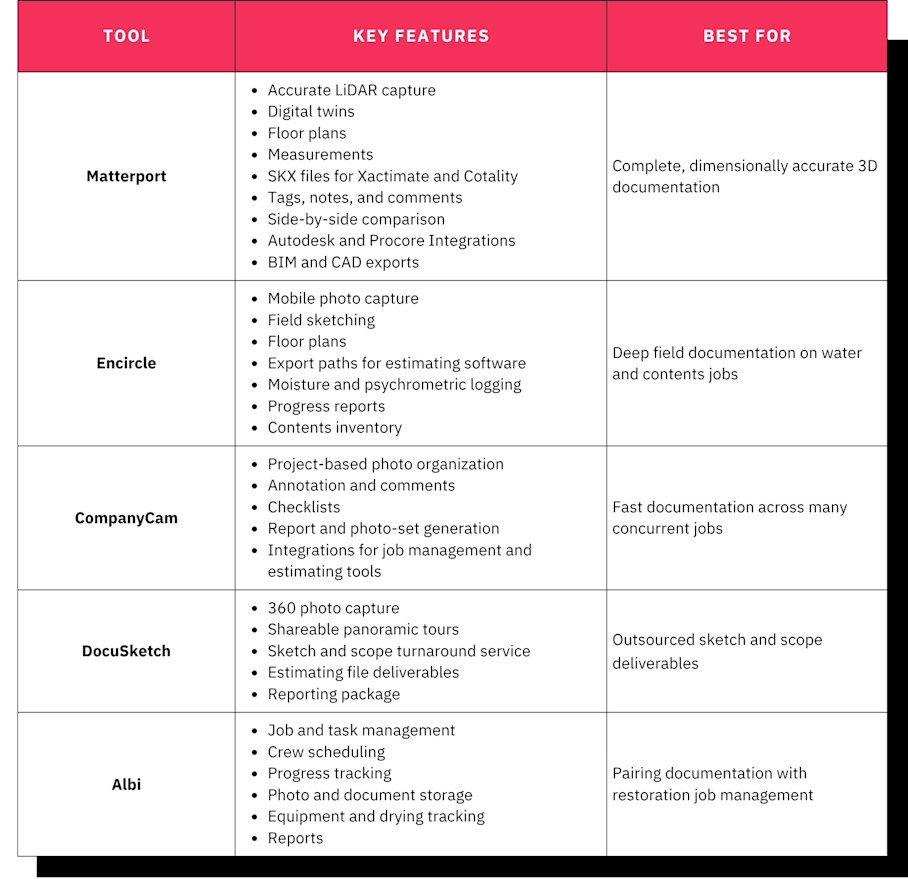
Note: The tools on this list are organized by best use case, not ranked. Many restoration teams combine multiple software, using one for field documentation, another for sketching or estimating, and another for job management, so the best setup is usually a mix rather than a single pick.
1. Matterport: Best for complete, dimensionally accurate 3D documentation
Matterport is a digital twin platform that restoration contractors and adjusters use to document a loss. 3D scans from a single visit produce an interactive, navigable model of the whole site.
Unlike a photo set, a digital twin captures a full space with complete context and accurate measurements, so scope questions can be answered from the record instead of a return trip.
Standout features
Matterport's restoration value comes from one capture feeding several outputs. These features carry most of the weight on a claim:
Accurate spatial data: The Pro3 camera uses LiDAR capture to scan each room in 20 seconds or less with ±20mm accuracy at 10 meters. It works in conditions from dim light to direct sunlight, so exterior storm damage gets the same treatment as a flooded basement.
Matterport digital twins: Each capture becomes a photorealistic 3D model that anyone with the link can walk through in a browser.
Dollhouse and 2D floor plan views: Flexible views of the affected space, giving crews a map for drying-equipment placement or staging, and showing carriers at a glance which rooms and how much area a loss covers.
Automated Measurements: Room lengths, widths, heights, and areas are calculated and labeled automatically after processing.
Measurement Mode: Estimators can take point-to-point measurements on any surface, such as a doorway or a stain line, directly inside the twin.
SKX files: The same scan produces files compatible with common estimating software, Matterport Sketch for Cotality and TruePlan for Xactimate, so a floor plan does not need to be redrawn by hand.
Tags & Notes: Crews pin moisture readings, photos, and comments to exact spots in the model. Notes lets teams @mention each other and manage tasks inside the twin.
Side-by-Side (public beta): Two scans display in a synchronized view, so teams can compare before and after disaster restoration projects.
Integrations and exports: Connects with Autodesk and Procore environments and produces deliverables like BIM and CAD files that teams can use for rebuild planning.
Together, these let one site visit cover both the scope record and the sketch.
Strengths and limitations
The main advantages of Matterport as restoration documentation software are related to scope and distributed workflows:
Objective record of conditions: A complete, timestamped spatial record is easier to justify than a selective set of images. A carrier can walk it months later, and it supports forensic and legal review.
Revisit reduction: Estimators can assess accurately from the model instead of initiating a truck roll. Paul Davis Restoration cut site visits by 40% with Matterport and TruePlan.
Carrier collaboration: One shareable link lets remote adjusters verify conditions and helps firms meet TPA documentation standards under SLA pressure. Master Restoration reported a 37% reduction in average time to settle with carriers after adopting Matterport.
Field-to-estimate speed: A single scan produces the walkthrough, the measurements, and the sketch. ATI Restoration improved sketch accuracy to 97.5-99% when using Matterport.
You should keep in mind that a Matterport digital twin is a documentation record that supports and enables a range of workflows, but it doesn't handle job management or estimating. Firms running scheduling and work orders will need to pair it with a job management tool.
The highest-accuracy outputs also require Pro3 hardware and a Professional plan or above, which is a larger upfront commitment than a per-seat photo app. However, compare that against the cost of one extra truck roll per claim, an estimator's hours re-justifying scope, and payment delays on disputed files, and it more than earns its keep.
The same twin also supports supplements, contents review, rebuild planning, and post-closeout questions, so a single scan pays off across the life of the job.
Best for
Matterport earns its place on jobs where the record has to carry weight well beyond mitigation. Key scenarios include:
Mid-size IICRC-certified firms handling large-loss or commercial water and fire work
Firms in carrier or TPA programs with strict documentation standards
Estimators who want measurements and a Cotality- or Xactimate-ready sketch from the same capture
Operations leaders who have been burned by chargebacks or disputes after a file closed
For these teams, a complete spatial record tends to pay back through fewer revisits and faster approvals.
2. Encircle: Best for deep field documentation on water and contents jobs
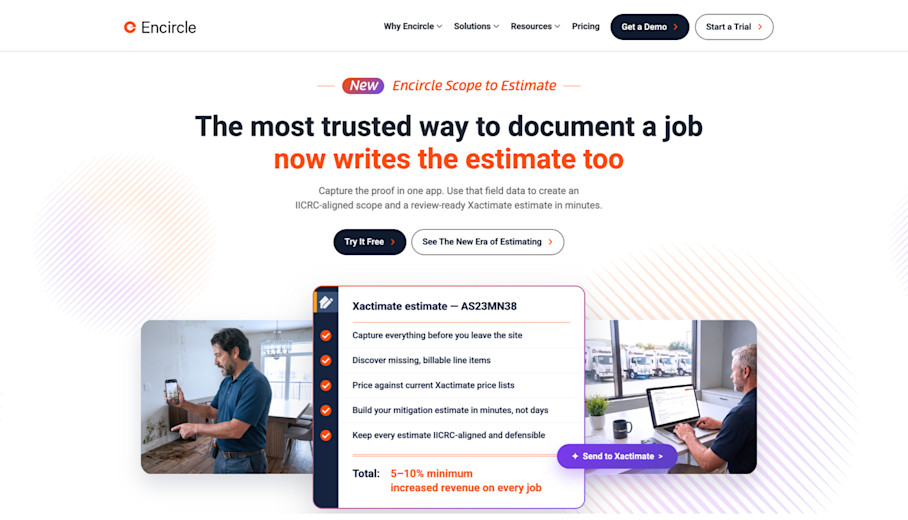
Encircle is a mobile-first property documentation tool built for mitigation crews. It covers photo capture, moisture logging, contents inventory, and floor plan sketching in the field. For routine residential water losses, it's the benchmark for speed of capture.
Standout features
Encircle packs most mitigation documentation into a single phone app. Its core features include:
Mobile photo capture: Unlimited storage, with photos organized automatically by room and job.
Field sketching: Crews draw room layouts on site.
Floor plan creation: Sketches become floor plans attached to the job file.
Export paths into estimating software: Documentation moves into the estimating workflow.
Moisture and psychrometric logging: Readings and drying logs live alongside the photos.
Daily documentation reports: Teams generate progress reports from the field.
Contents inventory workflows: Pack-outs get itemized and tracked.
That breadth keeps a water job's paperwork in one place from day one.
Strengths and limitations
Encircle prioritizes pace and simplicity for mitigation crews:
On-site reporting: Crews can document a loss and generate a report before leaving the site.
Low training burden: Field techs working under time pressure pick it up quickly.
Mitigation breadth: Photos, moisture, drying, and contents live in one app.
A couple of gaps appear on more complex files. Output is in photos, 360s, and 2D sketches only, rather than a navigable and measurable 3D space, so a carrier may struggle to verify any spatial relationships that weren't photographed in full. Sketch accuracy also depends on manual field measurement rather than instrument capture, so human error is more likely to cause issues or require a return to the site.
For straightforward water losses, for example, those limits may not matter. On disputed or large-loss files, they may come at high cost.
Best for
Encircle suits teams whose volume and job mix reward fast, standardized field capture, such as:
High-volume residential mitigation firms
Crews that need drying logs and contents inventory in the same app
Teams that value quick turnaround over spatial depth
Firms with this profile often get the most from Encircle as their daily field tool.
3. CompanyCam: Best for fast documentation across many concurrent jobs
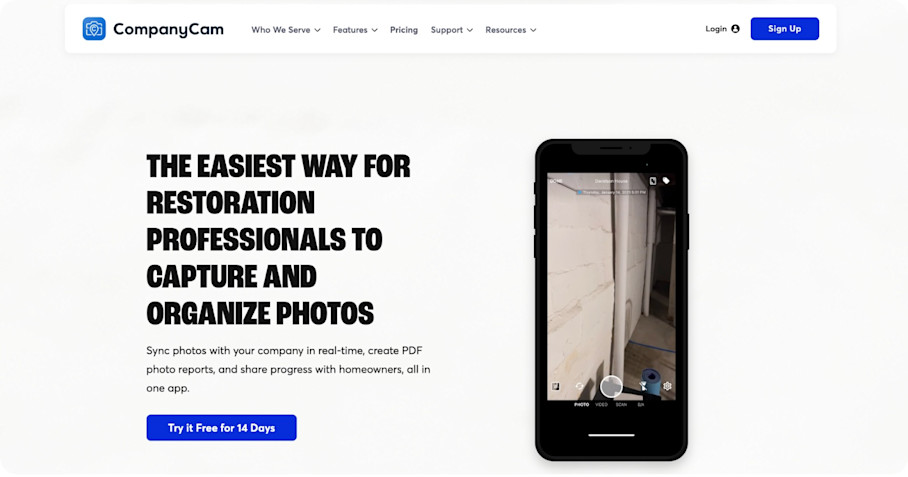
CompanyCam is a photo documentation and team communication app. Restoration firms and the broader trades use it to tie every image to the right job with timestamps and geotagging.
Standout features
CompanyCam focuses on making photo capture consistent across every crew. Its main features include:
Project-based photo organization: Photos sort automatically by project with timestamps and GPS coordinates.
Photo annotation and comments: Crews mark up images and discuss them in context.
In-app checklists: Managers standardize what crews capture on each job type.
Report and photo-set generation: Teams build shareable reports from project photos.
Integrations: Photos connect to job management and estimating tools.
Each job gets a clean photo trail, captured the same way by each crew.
Strengths and limitations
CompanyCam drives adoption by focusing on simplicity and consistency so field techs can use it job after job. Users tend to rely on its:
Audit trails: Metadata-stamped photos tie back to a project record.
Cross-crew visibility: Operations leaders can see activity across many concurrent jobs.
However, that same simplicity limits what the record can be used for. It's photo-first, and there are no tools to handle measurements or sketch generation and feed directly into downstream workflows. Coverage gaps are also still possible, since the record only contains what someone chose to photograph.
For many firms, CompanyCam is a good first step toward a disciplined, but standalone, documentation system.
Best for
CompanyCam fits firms that need photo discipline at scale before anything else. For example:
Firms that need consistent photo documentation across many small jobs
Multi-trade contractors
Teams standardizing capture with checklists before investing in 3D
These teams gain a reliable baseline they can build on later.
4. DocuSketch: Best for outsourced sketch and scope deliverables
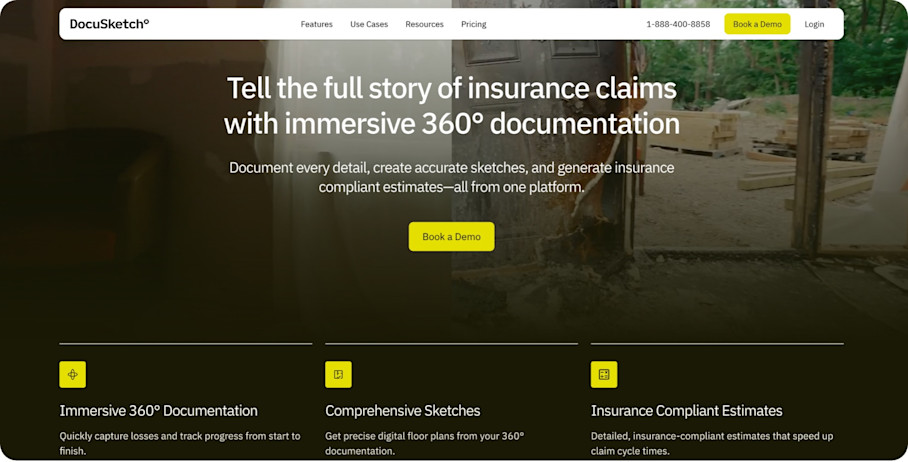
DocuSketch pairs a 360-camera capture workflow with a service that turns captures into floor plans, scope sheets, and Xactimate-ready sketches. It's aimed at firms that want to offload sketching and scoping work.
Standout features
DocuSketch combines light capture hardware with a back-office deliverable service. Key features include:
360 photo capture: Crews shoot panoramas room by room.
Shareable panoramic tours: Stakeholders click through the captured rooms.
Sketch and scope turnaround service: DocuSketch produces the sketch and scope from the capture.
Estimating file deliverables: Outputs arrive ready for the estimating platform.
Reporting package: Captures and deliverables bundle into a report.
That model shifts sketching hours off the estimator's desk.
Strengths and limitations
DocuSketch lightens the estimating workload with modest hardware, so the upside is greatest for firms with stretched estimating teams:
Estimator time savings: Outsourced sketching and scoping lets estimators focus on the estimate.
Carrier-friendly format: Deliverables arrive in formats carriers already use.
Simple hardware: A 360 camera is enough to start.
The most significant tradeoff is the depth of the record. Capture produces a set of panoramas and a sketch, rather than a fully navigable space a desk adjuster can walk and measure.
If your main concern is that your firm is short on estimating capacity, it is a useful platform.
Best for
DocuSketch suits firms that want to hand off sketch work on simpler jobs, such as:
Firms with thin estimating bandwidth
Teams that want sketches produced for them
Residential water losses with straightforward layouts
On these jobs, outsourced deliverables can keep estimates moving without new hires.
5. Albi: Best for pairing documentation with restoration job management
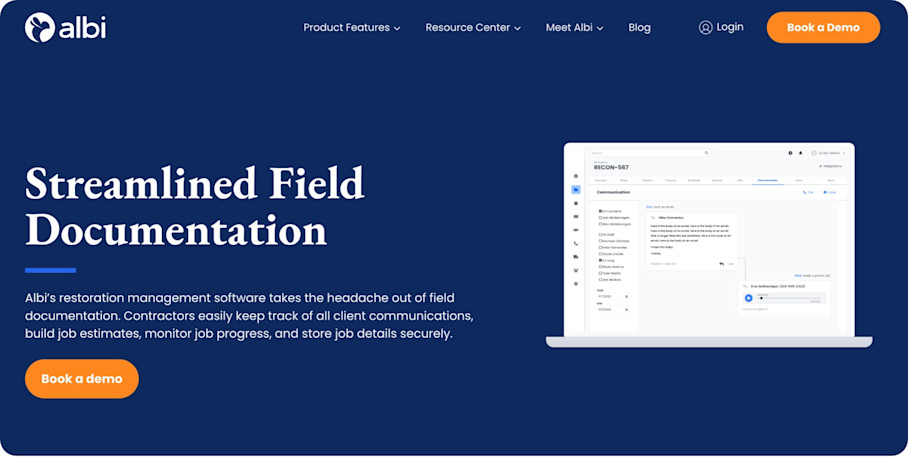
Albi is a restoration-specific job management platform with documentation built in. It fits firms where fragmented tools are a bigger problem than documentation depth.
Standout features
Albi puts job management and documentation in one system. Its main features include:
Job and task management: Jobs and tasks are tracked together.
Crew scheduling: Managers assign crews across active jobs.
Progress tracking: Project timelines views so teams can see where each job stands.
Photo and document storage: Files attach to each job.
Searchable project history: Closed projects stay easy to find.
Equipment and drying tracking: Equipment placement and drying progress are logged.
Reporting: Reports cover internal performance and carrier updates.
That single view helps office teams stop chasing information across apps.
Strengths and limitations
Albi's main advantage is consolidation, which mostly makes an impact in the back office:
Single-system advantage: Documentation, scheduling, and job status in one place reduce the capture-upload-share fragmentation that slows office teams.
Restoration-specific design: Workflows are built for restoration rather than a generic project tool.
Cycle time visibility: Operations leaders can track cycle time across concurrent jobs.
Albi’s documentation is a single component of a platform built with management and administration in mind. It doesn’t offer any more practical tools for construction crews or engineers. Firms with large-loss or disputed-scope exposure will likely need to pair it with a more connected capture platform.
For many growing firms, Albi becomes the operational hub that other tools plug into.
Best for
Albi fits firms whose biggest drag is disconnected systems, including:
Growing firms consolidating spreadsheets and standalone apps
Owners and GMs who need job status visibility
Teams that want documentation stored alongside scheduling and billing
These firms usually gain the most from fixing workflow first and adding capture depth second.
How to evaluate restoration documentation software
When it comes to choosing the best restoration documentation software for your team, a short buyer's checklist will help you better assess fit. Before committing, take a look at:
Speed from first notice of loss to estimate. Every day between the loss and a submitted estimate delays payment and ties up capacity. Ask how many separate steps stand between a single field capture and a carrier-ready estimate, and how long the handoff to a sketch or scope actually takes.
Objective proof of conditions. When scope gets challenged, a selective photo set invites argument while a complete, measurable record ends it. Ask whether the tool captures the whole space or only chosen angles, and whether measurements come from an instrument or from a tech's tape measure.
Collaboration with carriers and TPAs. Remote adjusters and SLA deadlines reward documentation a carrier can review without a site visit. Ask whether an adjuster can open a shareable link, navigate the space, and verify conditions without anyone returning to the property.
Audit trails and long-term records. Disputes and chargebacks can surface months after closeout, long after memories fade. Ask whether the record is timestamped, whether it stays accessible after the file closes, and whether it holds up for forensic or legal review.
The strongest restoration documentation software turns one capture into a faster estimate and a scope that stays easy to justify long after the job closes.
Field workflow tools like Encircle, CompanyCam, or Albi fill daily needs such as moisture logs, photo discipline, and scheduling.
But Matterport fits best where those criteria peak. Remote carrier walkthroughs and before-and-after comparisons both come from the same measurable digital twin. Many firms run a management-specific platform alongside a digital twin for the most efficient work.
Power your AEC/DCM workflows with Matterport


