


 Sign In
Best 360 Cameras on the Market: A Workflow-First Guide (2026)
A real estate agent shooting five listings a week needs something different from a construction project manager documenting a 200,000-square-foot industrial retrofit.
Both might search for the best 360 camera, but while the agent wants fast turnaround and easy editing, the project manager likely needs spatial accuracy, point cloud exports, and documentation that holds up under scrutiny.
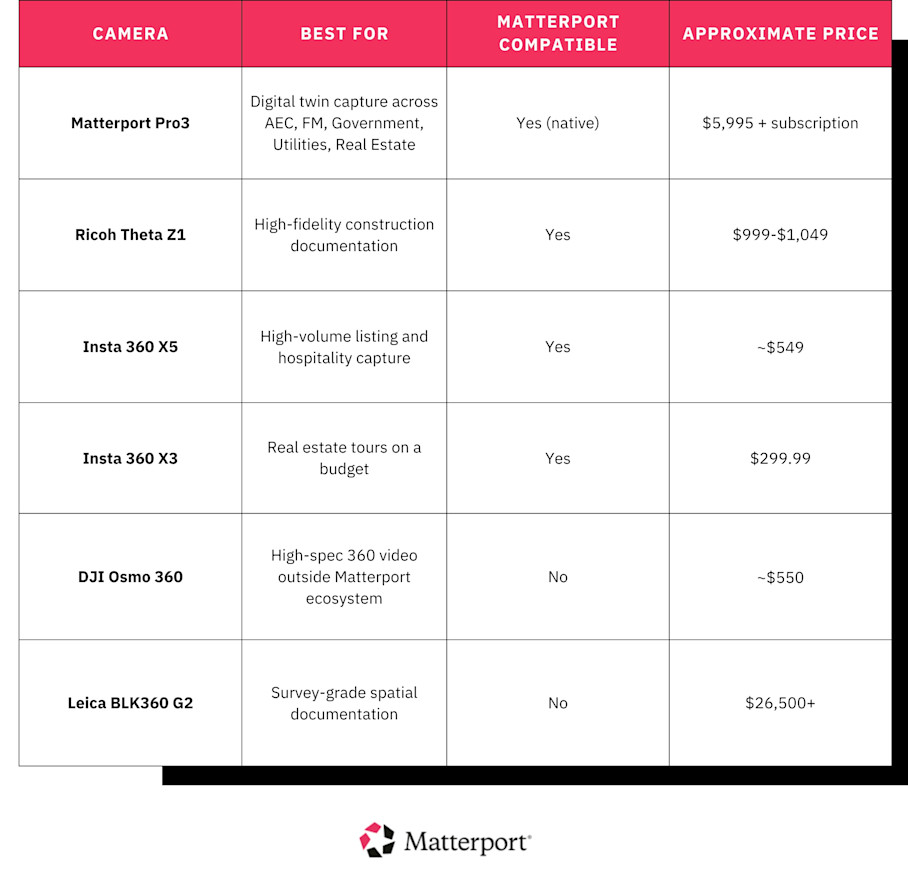
The ideal 360 camera is the one that matches how you work. To help you choose the best available option, this guide breaks down six cameras by professional use case. We've organized them not by megapixel count or price, but by what you're capturing, who's operating it, and what happens to the output.
Pricing Disclaimer: Pricing is subject to change at any time. The numbers in this article reflect values at the time of writing (May 2026).
What makes a 360 camera "professional"?
Professional 360 cameras aren't just consumer models with higher price tags. They're built around four variables that make a difference in a professional context; each carries more or less weight depending on your use case.
Sensor size and image quality
Larger sensors capture more light and deliver a wider dynamic range. This is the most relevant for indoor property photography with mixed lighting. Think a conference room with floor-to-ceiling windows on one side and recessed LEDs on the other. A 1-inch sensor handles that contrast better than a 1/2-inch sensor.
For construction documentation, sensor size determines whether you can read equipment labels or identify cable runs in a mechanical room when you're reviewing the scan months later.
Platform compatibility
A camera that uploads directly to platforms like Matterport means your scan is live and shareable within minutes of leaving the site. Manual export and conversion workflows add hours per shoot and introduce opportunities for file corruption and version-control issues.
Durability
Consumer cameras aren't built for construction sites or mechanical rooms. An IP68 rating means the camera survives a fall from tripod height onto concrete and an unexpected rainstorm during an outdoor utility inspection. Replaceable lenses keep a cracked element from writing off a $1,000 device.
Ease of operation
In facility management and field documentation, the camera is often used by non-specialist staff. Preset modes and fast boot-to-shoot are important. A facilities technician documenting HVAC equipment before a service call doesn't have time to adjust white balance or fiddle with exposure bracketing; they need to power on, scan, and move to the next room.
6 best 360 cameras for every professional workflow
Different workflows call for different cameras. The six below cover the full range of professional needs, from budget listing tours to survey-grade spatial documentation.
Important note: The cameras on this list are organized by use case, not ranked.
1. Matterport Pro3: Best overall for digital twin capture across industries
Best for: AEC, Facilities Management, Government, Utilities, Oil & Gas, Real Estate Price: $3,995
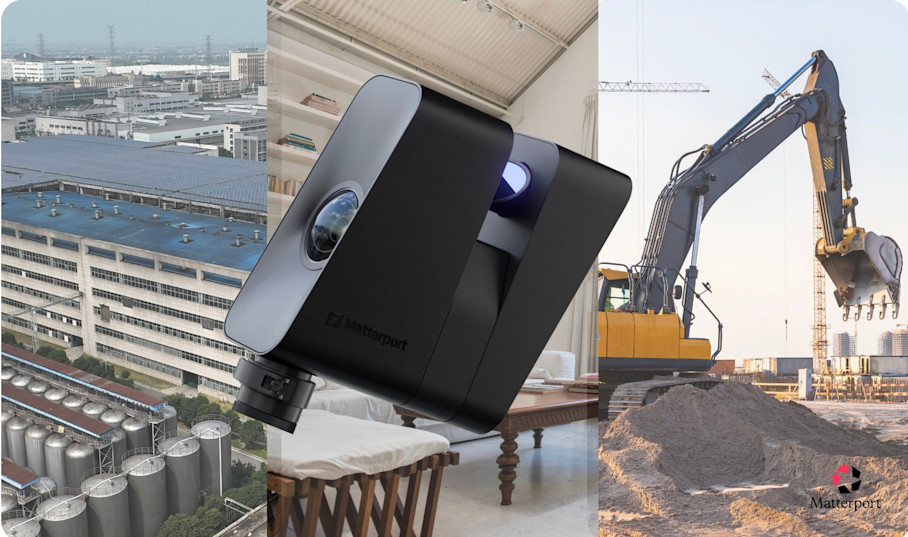
The Pro3 is categorically different from every other camera on this list. It's the only Matterport-native option that captures LiDAR spatial data and photorealistic imagery simultaneously, producing a dimensionally accurate 3D model that carries measurement data.
The LiDAR sensor fires 100,000 pulses per second with accuracy within 20mm at 10 meters. Each scan completes in under 20 seconds. The standard range is 20 meters indoors, with an extended range to 100 meters available in E57 exports for larger outdoor environments. IP43 rating covers dust and water splash.
What separates the Pro3 for AEC and facilities management teams is the export stack. MatterPak bundles, E57 point clouds, BIM files, and schematic floor plans are generated directly from the Matterport platform. You don't have to deal with conversion steps or intermediary software before opening in Revit or AutoCAD.
Pros:
True digital twin with LiDAR-accurate spatial data, not just a 360 photo
Sub-20-second scan speed per position
Indoor and outdoor capable
IP43 rated for splash resistance
Exports to E57, MatterPak, BIM for AEC/FM workflows
20MP HDR sensor with five-exposure bracketing
Removable battery supporting 220+ scans per charge
Cons:
Matterport platform dependency, so tours are hosted on Matterport servers
Higher upfront investment than most cameras on this list. However, the Pro3 is the only option that produces spatial data, BIM exports, and LOD 200 as-builts, making it a tool in a different category entirely
2. Ricoh Theta Z1: Best for high-fidelity construction documentation
Best for: AEC professionals, general contractors, and project managers requiring high-fidelity documentation Price: ~$999–$1,049 (51GB version)
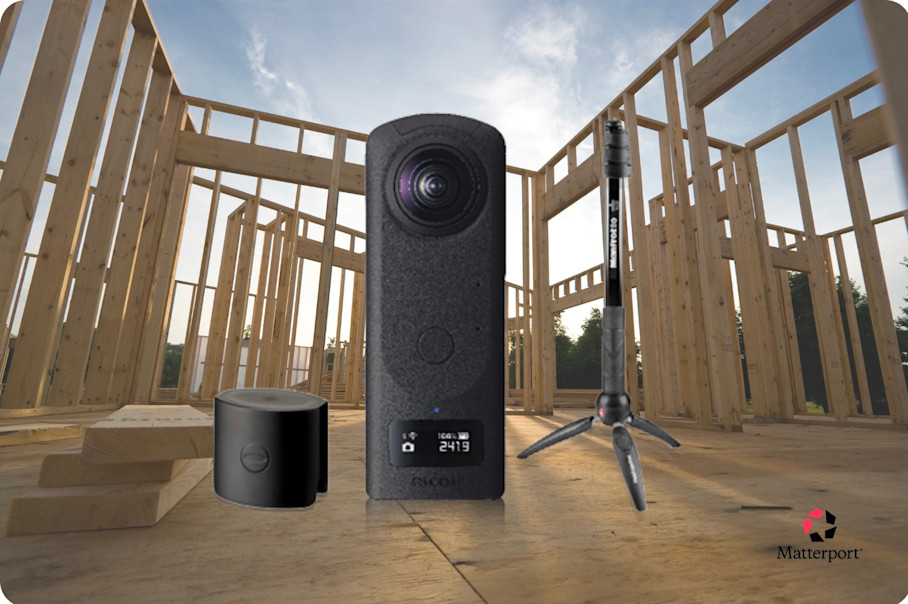
The Z1 is the highest-image-quality non-LiDAR camera on this list. Its dual 1-inch sensors and RAW (DNG) output make it the right choice for construction documentation that needs to withstand scrutiny. This includes as-built records, pre-wall-close captures, and dispute-resolution photography, where the images can be contested months later.
The hardware includes dual 1-inch backside-illuminated CMOS sensors and 23MP output at 6720×3360 resolution. It also features variable aperture lenses and a magnesium alloy body. The large sensors handle mixed lighting in mechanical rooms, corridors, and partially enclosed sites better than smaller alternatives.
RAW (DNG) output is valuable for construction documentation because it gives project teams full post-processing control. It produces an uncompressed record that can be revisited and reprocessed if a dispute or inspection requires it.
The 51GB internal storage holds a full day of site walkthroughs without offloading, which is useful when teams are moving between floors or buildings without consistent access to a laptop.
Pros:
RAW (DNG) shooting, uniquely available on this camera among all options listed
Dual 1-inch sensors at 23MP
51GB internal storage for full-day shoots
Magnesium alloy body
Broadest image quality and dynamic range among non-LiDAR cameras on this list
Cons:
RAW workflow requires Lightroom, which adds post-processing time vs. cameras with auto-HDR JPEG output
No expandable storage
Not waterproof or IP-rated, so not suited for exposed outdoor construction sites or wet conditions
The mobile app is less polished than the Insta360 ecosystem
Highest per-unit cost among the non-Pro3 cameras on this list; not the right choice for multi-site fleet deployment
Short battery life on heavy shooting days
3. Insta360 X5: Best for high-volume listing and hospitality capture
Best for: Real estate agents shooting multiple listings per week, hotel and short-term rental teams, multifamily leasing teams Price: ~$549
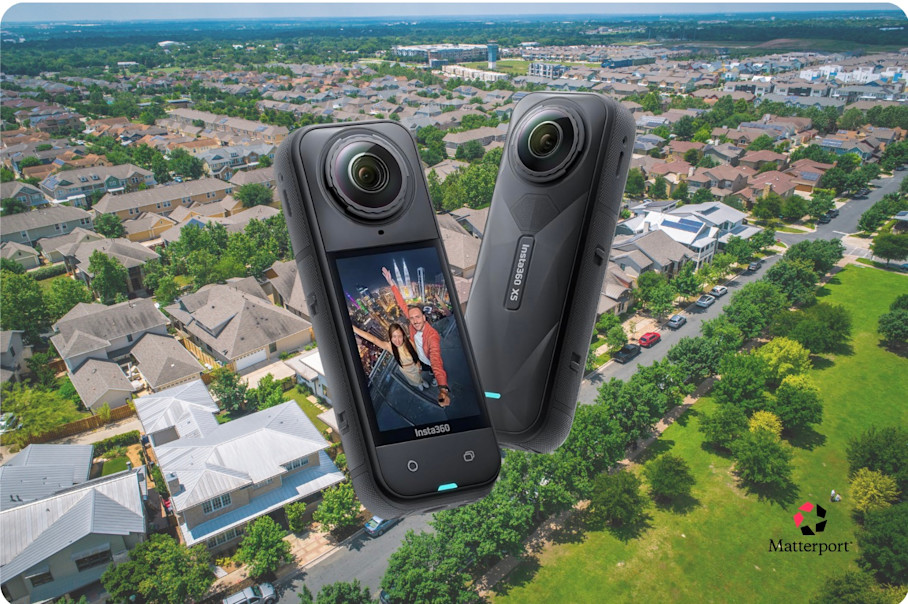
The X5 is Insta360's newest X-series camera and the most capable all-rounder for professional property marketing at volume. Its 1/1.28-inch sensors are 144% larger than the X4's, the biggest low-light jump in the series, with real improvement in mixed-lighting interiors where real estate photography typically fails.
It shoots 8K/30fps video and 72MP stills with FlowState stabilization. The Insta360 AI editing workflow handles stitching and gets listings to publish fast. For professionals shooting at scale, the three most relevant hardware upgrades are:
IP68 waterproofing to 49 feet (the best weather resistance in consumer 360)
Field-swappable replacement lenses that survive a damaged element without bricking the device
Extended battery life up to 185 minutes in endurance mode
One honest note on the upgrade path: the X5 is a meaningful step up for buyers entering the market. For teams that already own X4s, the case for fleet replacement is weaker unless low-light performance is a documented problem.
Pros:
1/1.28-inch sensors, the biggest low-light jump in the X-series
8K/30fps video and 72MP stills
IP68 to 49ft, the most durable mainstream 360 camera available
Replaceable lenses, field-swappable
Fast AI editing workflow
Matterport compatible
~$549 represents strong value relative to image quality
Cons:
Sensors still smaller than Theta Z1. The image quality gap is most visible in RAW-edited documentation, where the Z1's 1-inch sensors have an advantage
Runs warm during extended 8K recording
Battery life is good for casual use, but requires active management on back-to-back multi-room shoots
Still images show some graininess when pixel-peeping, and don't quite reach the level of detail of the Theta Z1 shooting in RAW
4. Insta360 X3: Best for real estate tours on a budget
Best for: Real estate agents and rental hosts shooting occasional listings who need a Matterport-compatible camera without a large upfront investment Price: $299.99
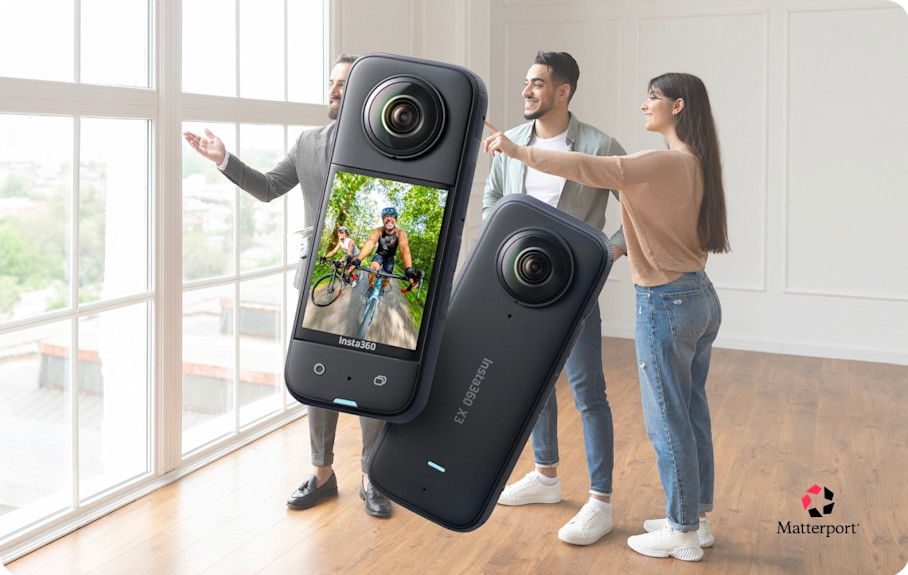
The X3 is Insta360's entry-level professional 360 camera and the most accessible option on this roundup. At around $299, it lowers the barrier for agents and rental hosts who want to offer virtual tours without committing to X5-level hardware.
The specs include 1/2-inch sensors and 72MP stills (equivalent to 6K). It captures 5.7K/30fps video, is IPX8 splash-resistant, and offers a 77-minute battery life. It's sufficient for well-lit residential interiors and standard listing photography.
The Insta360 app workflow offers AI-assisted stitching, one-tap export, and fast upload to sharing platforms. It's beginner-friendly for agents who aren't photography specialists.
Compared to X5, image quality is noticeably lower in mixed or low-light interiors. The 5.7K video ceiling is fine for most listings and limiting for luxury or high-production marketing work. The X3 is the right starting point for budget-constrained buyers entering the market; the X5 is the step-up when volume or challenging lighting becomes a problem.
Pros:
Lowest price of any camera on this list
Beginner-friendly app with AI-assisted stitching and fast export
IPX8 waterproof
Compact and lightweight for quick walk-through shoots
Matterport compatible
Cons:
1/2-inch sensors, noticeably weaker in low light or mixed-lighting interiors vs. X5 or Z1
5.7K video max, which isn’t the best available for luxury or high-production marketing use
~80-minute battery, shorter than X5 for back-to-back shoots
5. DJI Osmo 360: Best for high-spec 360 video outside the Matterport ecosystem
Best for: Content creators and documentation teams whose primary deliverable is a standalone 360 video rather than a Matterport digital twin Price: ~$550
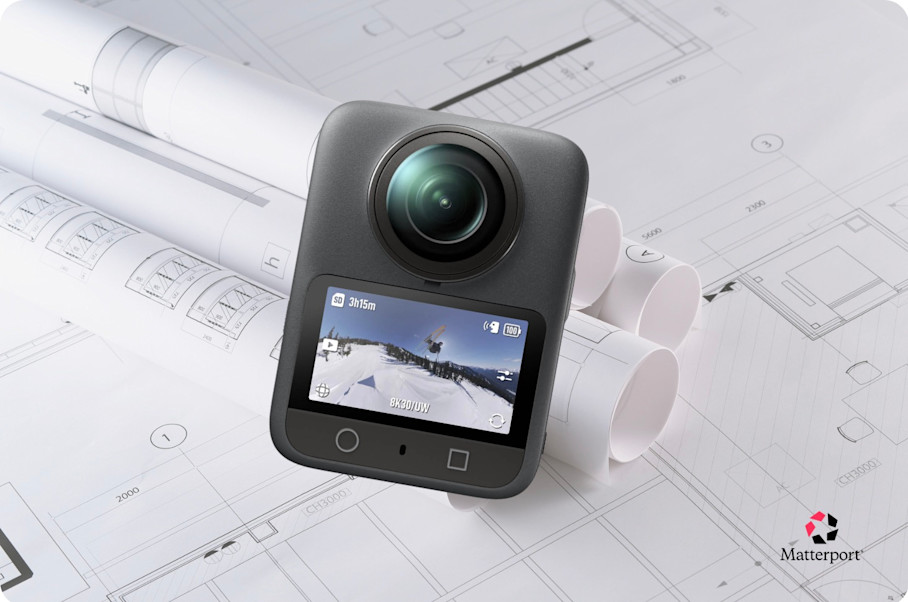
The Osmo 360 is DJI's first consumer 360 camera, and the hardware is strong. Dual 1/1.1-inch square CMOS sensors shoot 8K/50fps and 120MP stills with 10-bit D-Log M color, surpassing the X5's 8K/30fps ceiling and giving colorists more room in post.
With 105GB of internal storage plus microSD, this option handles long shooting days without offloading, while IP68 protection 10 meters covers outdoor and wet-environment use.
The audio setup is the biggest differentiator for the Osmo 360. It connects directly to two DJI Mic 2 or Mic Mini transmitters, which means a presenter walking a property can wear a mic while the camera sits on a tripod. It's a guarantee of clean, synced audio without extra hardware cluttering the shot.
The tradeoff is workflow friction, as DJI's proprietary .OSV format requires export through DJI Studio before opening in third-party editors, and the editing ecosystem is less mature than Insta360's shoot-to-publish pipeline.
At the same ~$550 price as the X5, the decision comes down to one question: is the video the product, or is it a step toward something else? For teams building Matterport digital twins, the X5 is the cleaner path. The Osmo 360 is for teams whose deliverable is the video itself.
Pros:
Dual 1/1.1-inch square sensors; 8K/50fps surpasses the X5's 8K/30fps ceiling
10-bit D-Log M color depth
105GB internal + microSD
Direct dual DJI Mic 2 / Mic Mini input via OsmoAudio, no receiver needed
IP68 to 10m
~$550
Cons:
Not Matterport-compatible natively
Proprietary .OSV format requires DJI Studio export before third-party editing
No user-replaceable lenses
Editing ecosystem less mature than Insta360's
6. Leica BLK360 G2: Best for survey-grade spatial documentation
Best for: AEC firms, heritage preservation teams, and facilities managers requiring high spatial accuracy in a portable scanner Price: Starting at $26,500 (quote-based)
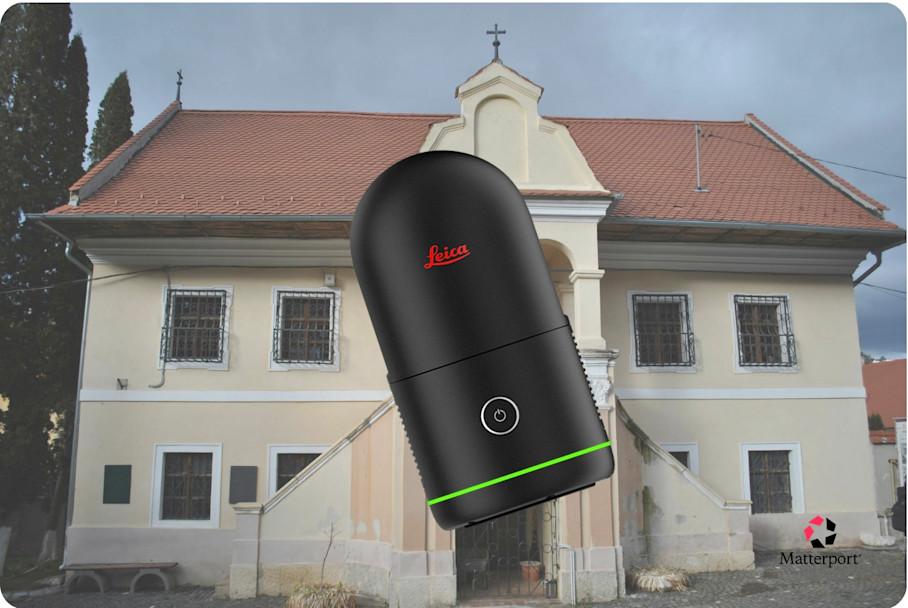
Some projects require a scan that can stand up in court, satisfy a heritage preservation body, or meet a contractual accuracy specification. That's the use case the BLK360 G2 was built for. It captures at ±4mm accuracy with 680,000 LiDAR points per second, which is the level of spatial fidelity that forensic documentation, infrastructure surveys, and listed building records often mandate.
It's not a 360 camera in the consumer sense. It's a LiDAR imaging scanner that captures full spherical HDR imagery alongside its point clouds, which is why it earns a place on this list. Four 13MP cameras handle the visual layer with 5-bracket HDR capture. VIS auto-registers consecutive scans in the field, reducing the manual alignment work that would otherwise add hours to a multi-position survey.
Export paths cover E57, RCP, and LGS, with direct integration to Autodesk ReCap Pro, Cyclone REGISTER 360, and Revit. It's a scan-to-E57-to-processing pipeline that requires more setup and more expertise than anything else on this list. While appropriate for the jobs it's designed for, it's overkill for everything else.
Pros:
±4mm accuracy at 10m with 680K pts/sec LiDAR capture
Full scans in ~20 seconds with VIS-assisted pre-registration
High-resolution 5-bracket HDR spherical imagery
E57, RCP, and LGS export support
Strong interoperability with Leica Cyclone and Autodesk workflows
Compact 850g form factor
Cons:
~$26,500+ before software licensing
More complex workflow than Matterport-native systems
Leica Cyclone software is often required for advanced processing workflows
Significantly steeper learning curve than consumer 360 cameras
Match the right 360 camera to your workflow
Most of the cameras on this list are Matterport-compatible, so you can match the best device to your budget and use case while still capturing into the Matterport platform.
If you're serious about documentation accuracy, the Pro3 is the only camera that produces true spatial data natively within Matterport. It's the LiDAR layer that enables point cloud exports, dimensional accuracy, and BIM-ready outputs without leaving the Capture app.
Get in touch with our team


